man
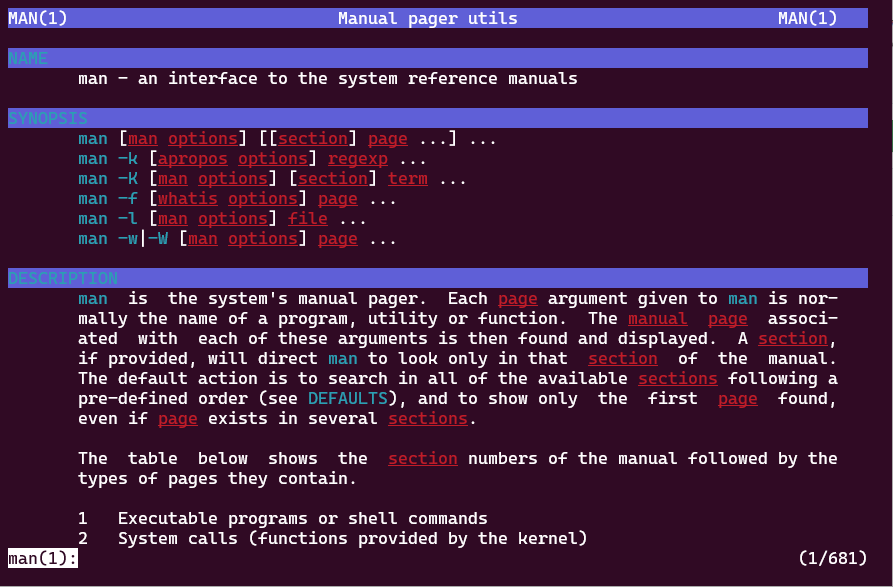
On traditional Unix-like systems, the man command is the standard tool for viewing manual pages for commands and programs on the system. The man command typically uses a pager to display these pages. By default, it uses less.
ov can also be used as a pager for man pages.
Set ov in the MANPAGER environment variable. A recommended setting is:
Man pages are usually divided into multiple sections. ov provides useful features for navigating by section. With the --section-delimiter option, you can specify a regular expression to detect section boundaries. The --section-header option highlights each section header. In addition, --sidebar-mode=sections shows a section list in the sidebar for easy navigation.
You can also toggle the sidebar visibility with alt+u after startup.
Colorful display
If you want colorful output in man pages, you can customize it with the StyleOverStrike and StyleOverLine styles. Example settings:
However, StyleOverStrike and StyleOverLine only work when groff outputs text using the overstrike/overline method.
Newer versions of groff use ANSI escape sequences by default, so these styles do not apply in that mode.
To force groff to use the traditional overstrike method, set the MANROFFOPT environment variable:
Screen width when sidebar is shown
Man pages are preformatted by roff to the terminal width first, so when the sidebar is shown as-is, the content may no longer fit in the available width.
In that case, you can toggle the sidebar with alt+u to adjust the visible content to fit the screen width.
If you always want to keep the sidebar visible, set the MANWIDTH environment variable to control the formatting width of man pages.
By default, the sidebar uses 20% of the screen width. So setting MANWIDTH to 80% like this keeps content fitting the screen even with the sidebar visible:
If your terminal is wide, another practical option is to set a fixed MANWIDTH in advance instead of using the full width: